
Backpack and gear
Gear screen
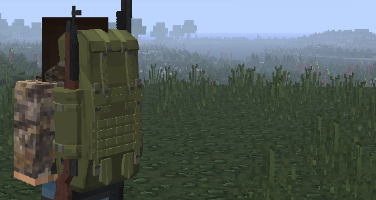
Section titled “Gear screen”When you open your inventory, you see your gear in place of the usual screen. If you wear a backpack, its contents show too.
Backpacks
Section titled “Backpacks”Hold a backpack and use it to put it on. If you were already wearing a backpack, it goes back into your hand.
 Hip Pouch
 Chest Rig
 Duffle Bag
 Hiking Pack
The room grows from the Hip Pouch to the Chest Rig, then to the Duffle Bag and the Hiking Pack. The contents stay in the backpack. If you change backpacks, your things stay in the old one.
| Slot | Contents |
|---|---|
| Mask | It holds a balaclava or a gas mask, which hides your name from other players. |
| Vest | It holds a bullet-proof vest, which blocks bullets to the chest. |
| Backpack | It holds your backpack. |
| Helmet and legs | They hold your helmet and your pants. |
| Map | It holds your Live Map, which then shows in your left hand. See Map. |
| Radio | It holds your radio, which then hangs on your leg. See Chat. |
| Parachute | It holds your parachute. |
Parachute
Section titled “Parachute”
A parachute in its slot opens on its own during a big fall. You come down slowly and you land with no fall damage. The parachute wears down and eventually breaks.
Night vision
Section titled “Night vision”Some helmets have night vision goggles. With the goggles down, you see in green in the dark.
Type /nv to raise or lower the goggles.
When you die, your backpack and all its contents go into your corpse. Another player can take it.